Here are 20 out of office message examples you can copy, paste and switch on in under a minute. A good out of office message says three things: that you're away, when you're back, and who can help until then. Replace the parts in [brackets] and you're done.
These three cover most absences.
1. Short and simple
Use it when: you're away for a few days and nothing urgent is expected.
Thank you for your email. I'm out of the office until [date] and will reply when I return.
2. With a backup contact
Use it when: a colleague can handle urgent requests while you're away.
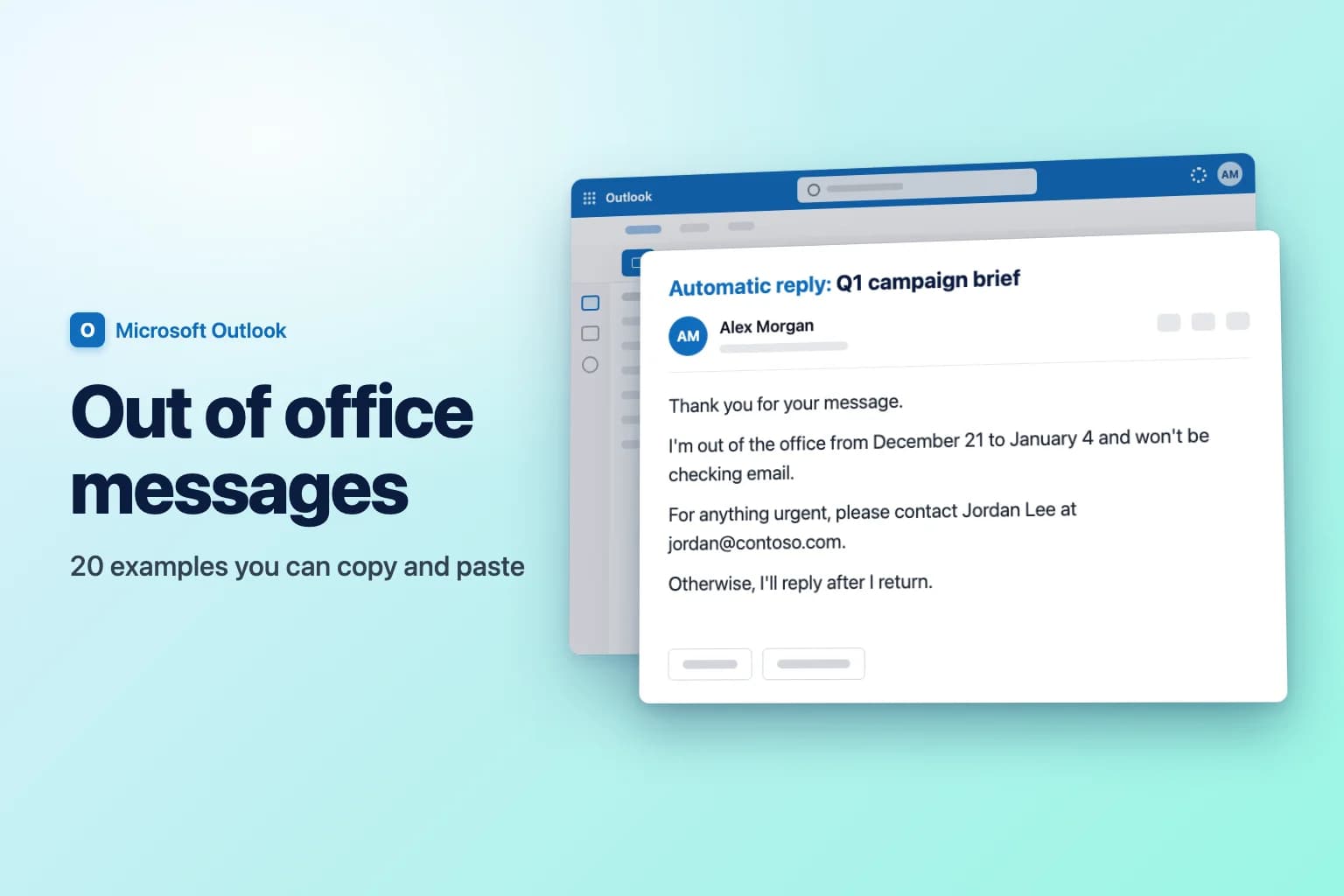
Thank you for your message. I'm out of the office from [start date] to [end date] and won't be checking email. For anything urgent, please contact [Name] at [email address]. Otherwise, I'll reply after I return.
3. Office closed for the holidays
Use it when: the whole team or company is off.
Thank you for your email. Our office is closed from [date] to [date] for the holidays, and we'll reply to your message when we reopen on [date]. For urgent matters, please email [address]. Happy holidays!
Need something more specific? Find your situation below.
| Your situation | Examples | Tone |
|---|---|---|
| Any short absence | 1, 2, 12, 13 | Neutral |
| Vacation | 4, 5 | Friendly |
| Public holiday or office closure | 3, 6, 7 | Friendly |
| Sick leave or medical leave | 8, 9 | Neutral, no details |
| Maternity or parental leave | 10, 11 | Warm, clear handover |
| Clients and customers | 14, 15, 16 | Professional |
| Colleagues vs outside senders | 17, 18 | Two versions |
| A team that enjoys a joke | 19, 20 | Funny |
If you'd rather have one written around your own dates, the free out-of-office message generator builds a formal, a friendly and a short version from your name, dates, reason and backup contact.
Out of office message examples for vacation
4. Vacation with no email access
Use it when: you're fully offline and want people to know it.
Hello,
Thank you for your email. I'm on vacation from [start date] to [end date] and won't have access to email during this time.
If your request is urgent, please contact [Name] at [email address] or [phone number]. I'll reply to everything else in the days after I return.
Best regards,
[Your name]
5. Vacation, checking email now and then
Use it when: you'll look at your inbox occasionally and want to set expectations.
Thanks for your email. I'm on vacation until [date] and checking email only occasionally, so my reply will be slower than usual. If it can't wait, please contact [Name] at [email address].
Holiday out of office messages
6. Public holiday or long weekend
Use it when: the office is closed for one or two days.
Thank you for your email. Our office is closed on [date] for [holiday name]. We're back on [date], and I'll reply to your message then.
7. End-of-year break
Use it when: you're taking the last week or two of the year off.
Hello,
Thank you for your message. I'm away for the end-of-year break from [start date] and back at work on [return date]. I won't be reading email while I'm away.
For anything that can't wait until then, please contact [Name] at [email address].
Wishing you a happy holiday season.
[Your name]
Sick leave out of office messages
You never have to give a medical reason. "Out sick" or "on leave" is enough, and for outside senders plain "out of the office" works too.
8. Sick day
Use it when: you're off at short notice and expect to be back soon.
Thank you for your email. I'm out sick today and not checking email. I expect to be back on [date] and will reply then. For anything urgent, please contact [Name] at [email address].
9. Longer medical leave
Use it when: you'll be away for weeks and don't want to share details.
Hello,
Thank you for your email. I'm currently on leave and expect to return on [date]. I won't have access to email during this time.
While I'm away, [Name] is covering my work. You can reach them at [email address].
Best regards,
[Your name]
Maternity leave and parental leave out of office messages
For a long leave, the handover matters more than the date. Name the person (or people) who took over, so nobody waits months for an answer.
10. Maternity leave with one cover contact
Use it when: one colleague has taken over your work.
Hello,
Thank you for your email. I'm on maternity leave from [start date] and plan to return in [month and year].
During my leave, [Name] is looking after my projects. Please contact them at [email address] so your request isn't delayed.
Best regards,
[Your name]
11. Parental leave with a contact per topic
Use it when: your work is split between several colleagues.
Thank you for your message. I'm on parental leave until [date] and not checking email.
For [topic or project], please contact [Name] at [email address].
For [topic or project], please contact [Name] at [email address].
For anything else, please write to [team email address].I look forward to catching up when I'm back.
Short out of office messages
12. One line
Use it when: people only need the date.
I'm out of the office until [date] and will reply when I'm back.
13. Out for the day
Use it when: you're at a conference, in training or in meetings all day, and people normally expect a same-day reply.
I'm away from my desk today, [date], for [a conference / training / an offsite meeting] and will reply tomorrow. If it's urgent, please call [phone number].
Professional out of office messages for clients and customers
14. Client-facing, with a response time
Use it when: customers or clients write to you directly.
Hello,
Thank you for contacting [Company name]. I'm out of the office until [date].
[Name] is handling my accounts while I'm away and can be reached at [email address] or [phone number]. For anything that can wait, I'll reply within [two] business days of my return.
Kind regards,
[Your name]
[Job title], [Company name]
15. Business trip, slower replies
Use it when: you're working but traveling, and answers will take longer.
Thank you for your email. I'm traveling for work from [start date] to [end date] and have limited access to email, so replies may take a day or two. If you need an answer sooner, please contact [Name] at [email address].
16. No longer with the company
Use it when: a mailbox stays open after someone leaves (usually set by a manager or IT).
Thank you for your email. [Name] no longer works at [Company name]. Please send your message to [Name] at [email address], who will be glad to help.
Internal vs external out of office messages
With a work or school account, Outlook lets you write two versions: one for people inside your organization and one for everyone else. Use that split. Colleagues can get names, projects and a way to reach you in an emergency. Outside senders get the minimum.
17. Internal version (colleagues)
Use it when: the reader works with you and needs to know who has what.
Hi,
I'm on vacation until [date] and not checking email or Teams.
[Name] is covering [project] and has all the files. For approvals, please go to [Name]. If something is truly urgent, my manager [Name] knows how to reach me.
See you on [date]!
18. External version (everyone else)
Use it when: the same absence, for clients, suppliers and strangers.
Hello,
Thank you for your email. I'm out of the office until [date]. For urgent matters, please contact [team email address or phone number].
Best regards,
[Your name]
Funny out of office messages (that are still safe for work)
Keep the joke in the first line and the useful part (date and backup) right after it. If you have an internal and an external version, put the funny one on the internal side.
19. The honest one
Use it when: your team and regular contacts know you well.
Thanks for your email! I'm on vacation until [date], and my laptop is not coming with me. I'll read your message when I'm back, probably after my first coffee. If it really can't wait, [Name] at [email address] is working and will be happy to help.
20. The self-aware one
Use it when: you want a light touch in two sentences.
This is an automatic reply, so it can't answer your question. I can, starting [date]. Until then, [Name] at [email address] can help with anything urgent.
What to include in an out of office message
Every example above is built from the same five parts. Use them to write your own in any tone.
| Part | What to write | Example |
|---|---|---|
| Thanks | One short line | "Thank you for your email." |
| Dates | The day you're back, at least | "I'm out of the office until [date]." |
| Email access | None or limited | "I won't be checking email." |
| Backup | One person and one way to reach them | "For anything urgent, contact [Name] at [email address]." |
| What happens next | When to expect your reply | "I'll reply after I return." |
Two to four sentences is the right length. People read an automatic reply for the date and the backup contact, and anything else gets in the way.
On tone, write the way you normally write to the people who email you. A formal greeting and sign-off suit clients. A plain two-line note is fine for colleagues.
A note on subject lines: Outlook's automatic replies have no subject field. The reply arrives with "Automatic reply:" in front of the sender's own subject. Gmail does ask for a subject, and "Out of office until [date]" works well because the key fact is visible before the email is opened.
Mistakes to avoid
- No return date. "I'm currently away" tells people nothing. Give the day you're back.
- Too much detail for outside senders. Automatic replies can reach strangers, newsletters and sales senders. Leave out where you're traveling, medical details, and anything that says your home is empty.
- A backup who doesn't know. Ask before you name someone, and check that they aren't away on the same dates.
- Promising a reply on your first day back. You'll have a full inbox. "After I return" or "within two business days" is a promise you can keep.
- Internal information in the external message. Direct phone numbers, project names and your manager's name belong in the internal version only.
- Forgetting the external message. In Outlook with a work account, replies to outside senders are a separate setting. If you skip it, people at other companies get no reply at all.
- Last year's dates. If you reuse a saved message, check the dates and the backup name before you switch it on.
- Leaving it on. Set an end date, so the message stops by itself.
When to turn your out of office message on and off
Set it up before your last day, not in the last five minutes. Outlook and Gmail both let you schedule the start and end, so you can prepare the message days ahead and it switches on and off by itself.
- Start: the end of your last working day.
- End: the morning you return. Some people let it run until noon on the first day back, to get through the backlog first.
- Before a long leave: tell your regular contacts a week or two ahead. A line in your email signature such as "I'll be out of the office from [date] to [date]" does that without an extra email.
- Half a day away: you usually don't need one, unless people expect same-day replies from you.
One thing to know: nobody gets flooded. Outlook sends your automatic reply once to each person who emails you during your absence. Gmail also replies once per person, and again only if the same person writes after four days and the responder is still on.
Where to paste your out of office message in Outlook and Gmail
New Outlook and Outlook on the web
- Select Settings (the gear icon), then go to Accounts → Automatic replies.
- Switch on the automatic replies toggle.
- Tick Send replies only during a time period and set the Start time and End time.
- Paste your message into the box.
- With a work or school account, tick Send replies outside your organization if people at other companies should get a reply too, and add your external version.
- Select Save.
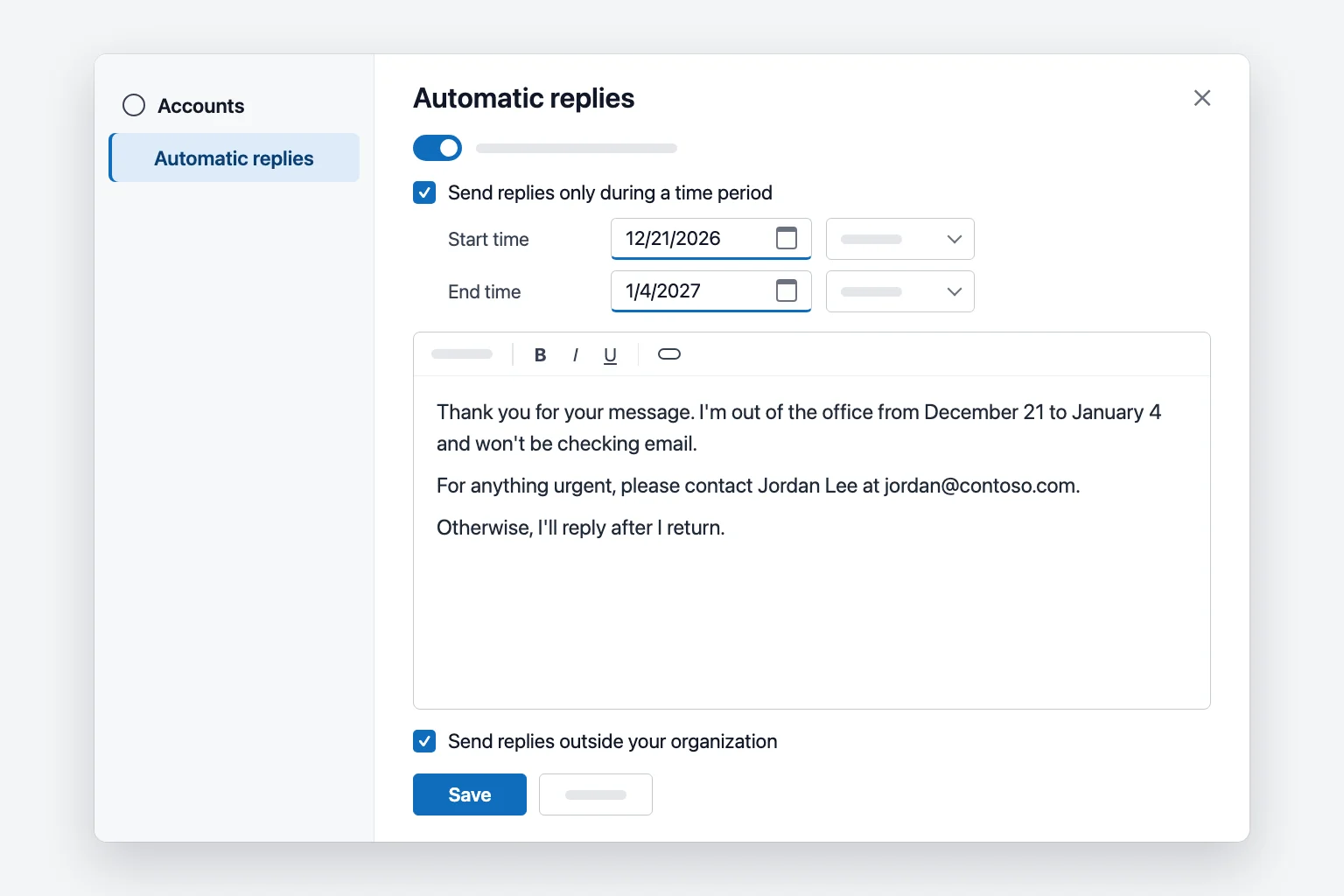
The picture shows example 2 with real dates and a real backup contact filled in.
Classic Outlook for Windows
Go to File → Automatic Replies and choose Send automatic replies. Tick Only send during this time range, paste the internal version on the Inside My Organization tab and the external version on the Outside My Organization tab, then click OK.
Gmail
Click the Settings gear, then See all settings. On the General tab, scroll down to Vacation responder and select Vacation responder on. Set the First day and Last day, type a Subject, paste your message and click Save Changes.
For Outlook on Mac and mobile, accounts without an Automatic Replies button, and replies that don't send, see how to set out of office in Outlook.
Frequently Asked Questions
What is a good out of office message? One that answers the sender's two questions in the first two sentences: when are you back, and who can help now. For example: "Thank you for your email. I'm out of the office until [date]. For anything urgent, please contact [Name] at [email address]."
How long should an out of office message be? Two to four sentences. Add more only when your work is split between several people, as in example 11.
Do I have to say why I'm away? No. "Out of the office" is always enough. Mention a vacation or parental leave if you're comfortable with it, and keep medical reasons out of the message.
Should I write different messages for internal and external senders? Yes, if your account offers it. Give colleagues the practical details (who covers what) and keep the external message to your return date and one general contact. Examples 17 and 18 are a matching pair.
Does every email I receive get the automatic reply? No. Outlook replies once to each sender while automatic replies are on. Gmail replies once, then again if the same person writes after four days. In Gmail, messages that land in spam and messages addressed to a mailing list you subscribe to get no reply.
Are funny out of office messages unprofessional? Not for people who know you. For clients, new contacts and anyone senior you haven't met, a plain message is the safer choice. If you want a head start on either kind, the out-of-office message generator gives you three tones to pick from.
Let CoreGPT write it (and your replies when you're back)
If none of the 20 examples fits, describe your situation in one line and CoreGPT drafts the message for you inside Outlook or Gmail, in the tone you ask for. It's just as useful on your first morning back: point it at an email, say what you want to answer, and it drafts a short, polite reply, so you clear the backlog without typing the same sentences again and again. It's free to start, and there's a Gmail version too.
 CoreGPT
Priya Shah
Re: Q4 launch timeline
Can we confirm the dates…
Marco Rossi
Contract renewal
Attached is the updated…
Support
Ticket #4821 resolved
Your request has been…
Emma Clark
Lunch on Thursday?
Are you free around…
Re: Q4 launch timeline
Priya Shah
Marketing needs final copy by Oct 28 if we keep the Nov 3 launch. Can engineering confirm the release candidate is on track?
Daniel Kim
RC is on track for Oct 30. QA needs two extra days for the payments flow, so Nov 3 is tight but possible.
Priya Shah
If QA slips, should we move the launch to Nov 5 instead?
Hi Priya, agreed. If QA needs the extra days, let’s move the launch to Nov 5 and keep Oct 28 for final copy. Thanks!
Try it: CoreGPT for Outlook
Related reading: