
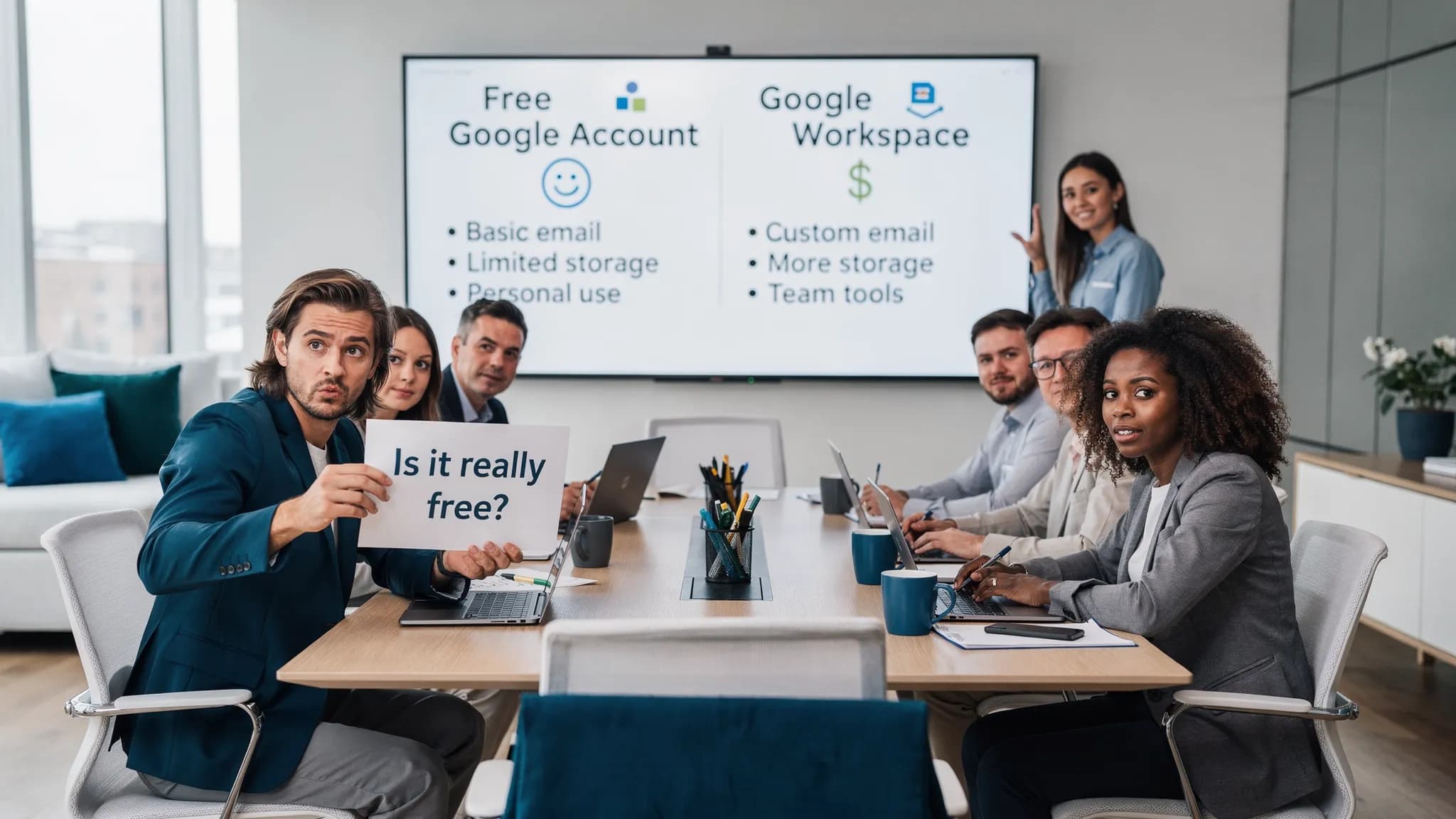
Most people asking “is Google Workspace free?” are really asking one of two things:
- “Can my team use Docs/Sheets/Drive without paying?”
- “Can I get business email on my domain ([email protected]) without paying?”
Here’s the clear answer: Google Workspace is generally not free. What is free is a personal Google account (Gmail + Drive + Docs/Sheets/Slides) with consumer-grade limits and no admin controls. Google Workspace is the paid, business version that adds your domain, centralized administration, business support, and security/compliance features.
Below is a practical breakdown of what’s free, what isn’t, where the loopholes really are, and how to choose the best option in 2026.
Google Workspace vs a free Google account (the confusion)
A free Google account (what most people call “free Google Drive” or “free Google Docs”) is built for individuals. It’s great for personal storage, simple collaboration, and everyday documents.
Google Workspace is built for organizations. It typically includes:
- Custom email on your domain (Gmail for your business)
- Admin console to manage users, devices, sharing, and policies
- Business-grade security, retention, auditing, and support options (varies by plan)
- Team features like shared drives and centralized ownership (plan-dependent)
So when someone says “Google Workspace is free,” they’re often referring to the free Google apps that look the same, but are not managed or licensed the same way.
What you can do for free (without Google Workspace)
If your goal is basic productivity, you can absolutely use Google Docs/Sheets/Slides for free with a standard Google account.
Typical capabilities include:
- Create and edit Docs, Sheets, Slides
- Share files and collaborate in real time
- Use Gmail with a standard @gmail.com address
- Use Google Drive storage (with a limit) shared across Drive, Gmail, and Photos
Typical limitations to expect (the ones that matter for teams):
- No centralized admin for employees or contractors
- Harder offboarding (ex-employee still owns files unless transferred manually)
- Fewer organization-wide security controls
- Support is largely self-serve
- Not designed for regulated retention/eDiscovery needs
If you’re running a business, the “free” path often becomes expensive later in time spent, messy ownership, and risk.
When Google Workspace can be free (legit scenarios)
There are only a few common cases where Google Workspace is free or close to free. Here’s what’s real.
| Scenario | Is it free? | Who it’s for | What to watch out for |
|---|---|---|---|
| Personal Google account (consumer) | Yes | Individuals, side projects | No custom domain email, limited admin/security |
| Free trial of Google Workspace | Temporarily | Anyone evaluating Workspace | Trial ends, you must pick a paid plan |
| Google Workspace for Nonprofits | Often free/discounted (eligibility-based) | Approved nonprofit organizations | Eligibility rules, feature differences, add-ons may cost |
| Education editions | Institution-based | Schools/universities | Managed by the institution, not individuals |
| Legacy “free G Suite” accounts | Rare | Very old tenants | Many were migrated or required paid upgrade |
If you’re evaluating a “free Workspace” offer from a third party, treat it carefully. The official sources that matter are Google’s own Workspace pricing and eligibility pages.
Google Workspace plans: what changes as you move up
Google Workspace plans evolve, and the best plan depends on what your team needs day-to-day. In general, plan tiers differ on:
- Storage (per user or pooled storage depending on plan)
- Meeting features (participants, recording, attendance, etc.)
- Security and administration (advanced endpoint management, DLP, security reporting)
- Compliance (vault/retention/eDiscovery capabilities)
- Support level
Google typically groups offerings into categories like Business (for small to mid-sized orgs) and Enterprise (for larger orgs with deeper controls), plus additional editions for specific needs.
For the most accurate, current details (since limits and bundles change), use Google’s official pricing page as your source of truth: Google Workspace pricing.
The “free” cost drivers people miss (even on paid plans)
Even after you accept that Workspace is paid, it helps to budget for the costs that tend to surprise teams.
Storage growth and shared ownership
Storage is the first pain point for many teams, especially those producing lots of:
- Slide decks with media
- Recorded meetings
- Large spreadsheets
- Marketing assets and design files
Also watch for ownership. Workspace is valuable because it can centralize ownership, but only if you set it up correctly (shared drives, policies, and offboarding process).
Security, retention, and legal requirements
If you need retention rules, eDiscovery, or formal auditing, you may need a plan that includes those features, or you may need paid add-ons depending on your setup.
Training and change management
A common reason teams “don’t get value” from Workspace is not the tools, it’s inconsistent usage. A little structured training often pays back fast.
If your team wants guided upskilling (especially if you’re standardizing workflows across business and tech roles), consider structured programs like Google Workspace courses and certifications that combine practical learning paths with expert-led sessions.
AI add-ons and model choices
Teams increasingly want AI directly inside Docs and Sheets. Depending on your organization, you may evaluate:
- Built-in AI options from the suite vendor
- Third-party copilots that work inside your documents and spreadsheets
The key “hidden cost” here is not only licensing, it’s workflow friction. If AI requires constant copy-paste into a separate chat tool, adoption drops.
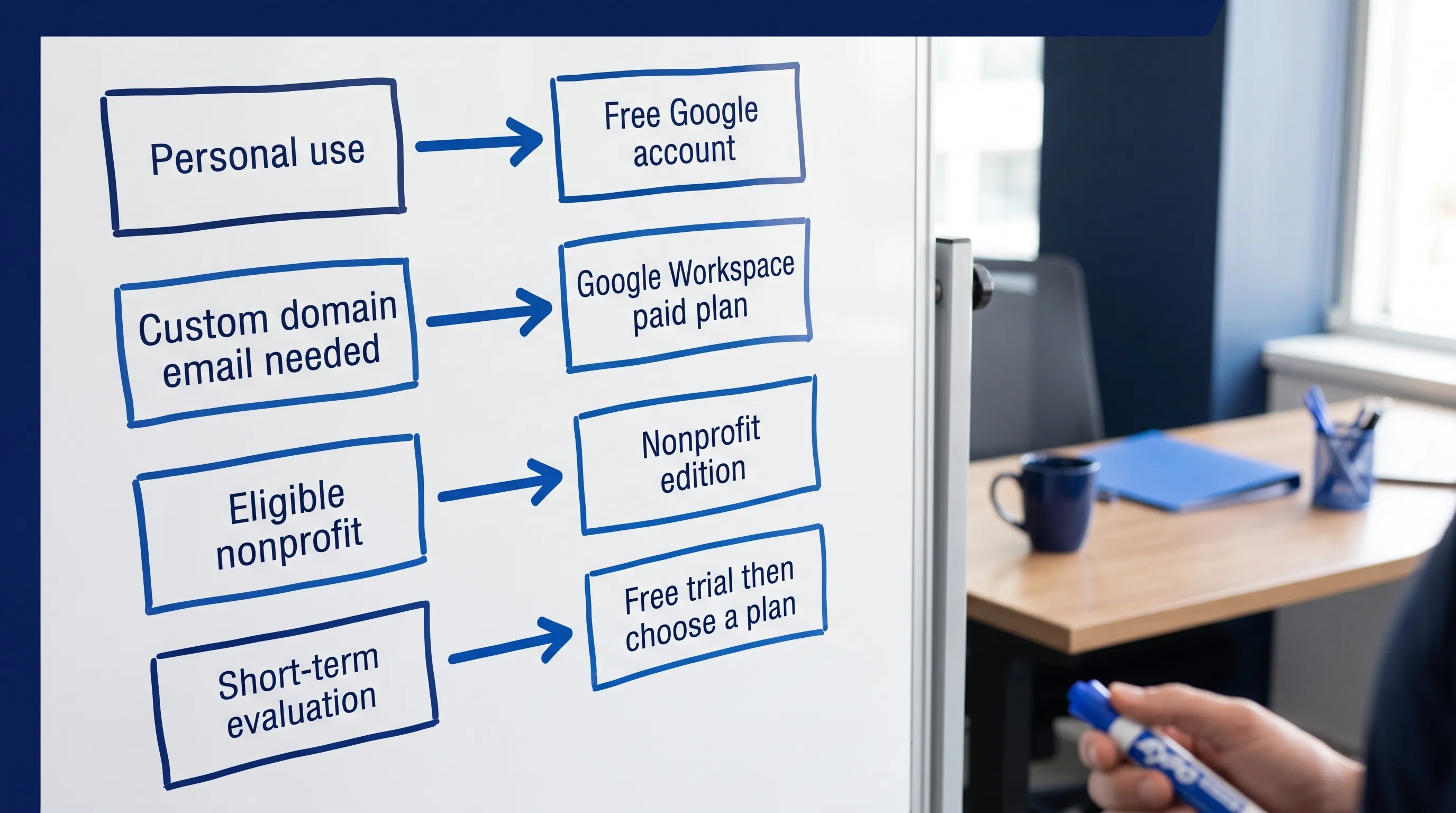
Best options: which path should you choose?
Option A: Stay on a free Google account (best for individuals)
Choose this if you:
- Don’t need a custom email domain
- Don’t need centralized admin controls
- Are working solo or casually collaborating
This is the closest thing to “google workspace free,” but it is not Workspace. It is the consumer stack.
Option B: Use Google Workspace trial (best for evaluation)
Choose this if you:
- Need to test domain email, admin controls, and team policies
- Want to validate collaboration workflows with real users
Tip: test the workflows you actually care about (offboarding, file ownership, external sharing restrictions, group permissions), not just Docs editing.
Option C: Google Workspace for Nonprofits (best when eligible)
Choose this if you:
- Are a registered nonprofit and meet Google’s eligibility requirements
- Want business tooling without business pricing
In many orgs, this is the only realistic “Workspace is free” scenario.
Option D: Paid Google Workspace (best for real business operations)
Choose this if you:
- Need custom domain Gmail
- Want consistent user lifecycle management (onboarding/offboarding)
- Need admin visibility and security controls
- Want shared drives and organization-owned assets
Even small teams often land here once email domain and ownership matter.
Option E: You’re in a mixed Microsoft 365 + Google Workspace environment
This is increasingly common in 2026: some teams live in Excel/Outlook, others in Sheets/Gmail.
In that case, the best option is often not “pick one suite forever,” it’s:
- Standardize where canonical documents live
- Define what belongs in email vs docs vs sheets
- Use compatible automation and AI across both ecosystems
If your team wants AI help in both Microsoft 365 and Google Workspace without bouncing between tools, CoreGPT Apps is designed for that style of work: it brings ChatGPT, Gemini, and Claude-style assistance into apps like Google Docs/Sheets/Slides/Forms and Microsoft Word/Excel/PowerPoint/Outlook/Teams, with a privacy-focused design and no registration required. (Learn more on CoreGPT Apps.)
A quick decision checklist (to avoid overbuying)
Ask these questions before picking a plan:
- Do we need custom domain email? If yes, you are almost certainly in paid Workspace territory.
- Do we need centralized control of accounts and files? If yes, favor Workspace over consumer accounts.
- Do we have compliance requirements? If yes, confirm retention/eDiscovery needs before choosing a tier.
- How fast is storage growing? If your Drive is already a “dumping ground,” plan selection will matter.
- Will AI be used inside docs and sheets? If yes, optimize for in-context workflows (not copy-paste).
Frequently Asked Questions
Is Google Workspace free for personal use? Google Workspace itself is typically paid. For personal use, most people use a free Google account (Gmail + Drive + Docs/Sheets) instead.
Is there still a free G Suite plan? Most legacy free G Suite offerings were retired or migrated. Some older tenants may have special status, but it’s uncommon. Always verify in your Admin console or with official Google documentation.
Can I get a free business email like [email protected] with Google? In general, custom domain email with Gmail is part of paid Google Workspace (outside of limited eligibility programs like nonprofits).
Does Google Workspace include Google Docs and Google Drive? Yes. Workspace plans include the core productivity apps, plus business features like admin controls and plan-dependent security and support.
What’s the best option if we use both Microsoft 365 and Google Workspace? Standardize workflows and ownership first, then choose tools that reduce switching costs. Many teams benefit from AI that works inside both ecosystems so outputs are consistent across Word/Docs and Excel/Sheets.
Try in-app AI for Google Workspace (and Microsoft 365) without changing your stack
If you’re sorting out Google Workspace plans because your team needs to move faster, don’t overlook the day-to-day workflow bottleneck: writing, summarizing, extracting action items, and turning messy inputs into structured Docs and Sheets.
CoreGPT Apps adds AI assistance directly inside Google Workspace and Microsoft 365 apps so you can work in context (Docs, Sheets, Slides, Forms, plus Word, Excel, PowerPoint, Outlook, Teams) without constant tab switching. Explore it here: https://coregptapps.com.